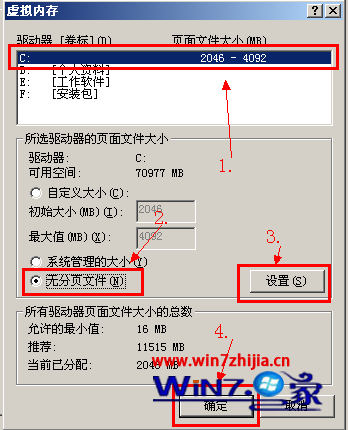
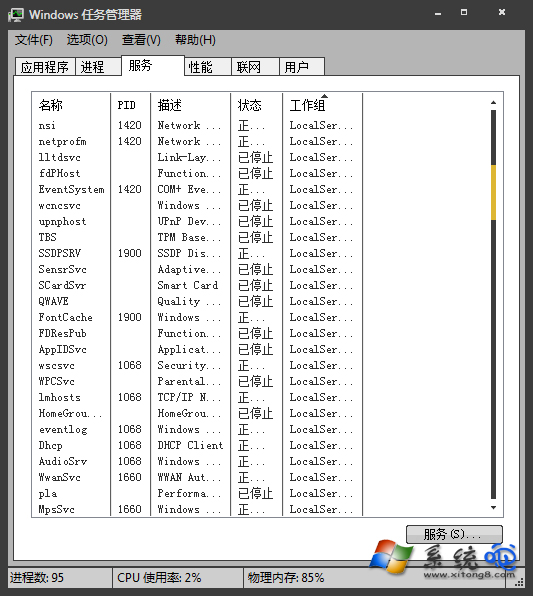
Win7 開機自動運行數十個進程拖慢系統,善用 msconfig 精簡啟動項與服務能釋放大量記憶體。核心操作:工作管理員右鍵進程 →「前往服務」啟停;msconfig →「啟動」取消非必要項 →「服務」勾選「隱藏所有 Microsoft 服務」後停用第三方服務。文中附贈常見可安全停用進程詳細清單(audiodg.exe、dwm.exe、searchindexer.exe、TrustedInstaller.exe、wmpnetwk.exe、infocard.exe、uiodetect.exe、syntpenh.exe、bttray.exe、seaport.exe 等),附帶進程功能說明與停用影響評估,助你精準優化不誤傷系統核心。
msconfig →「啟動」索引標籤取消非必要開機自啟程式。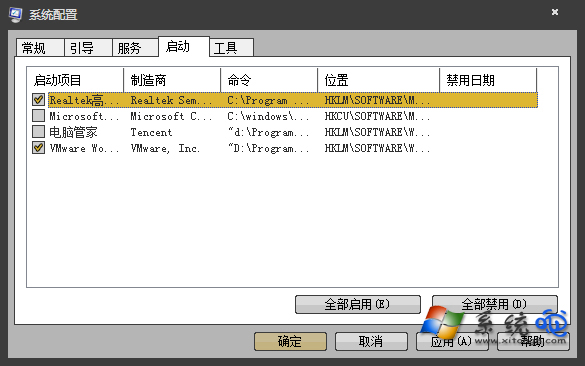
| 進程 | 功能 | 停用影響 | 建議 |
|---|---|---|---|
| dwm.exe | 桌面視窗管理員(Aero 玻璃效果) | 失去 3D 翻轉、透明效果 | 記憶體緊張可停,需重啟 3 次生效 |
| searchindexer.exe | Windows 搜尋索引 | 搜尋速度變慢 | SSD/大量檔案建議保留 |
| wmpnetwk.exe | Media Player 網路分享 | 無法網路分享媒體庫 | 不使用網路分享可停 |
| bttray.exe | 藍牙托盤程式 | 藍牙快速設定失效 | 無藍牙裝置可停 |
| seaport.exe | Windows Live Mesh 同步 | Live Mesh 同步失效 | 未使用可停 |
原則:僅停用確認不需要的第三方服務,Microsoft 核心服務勿動。優化前確認無 Windows Update 正在執行。優化後重開機驗證系統穩定與記憶體釋放效果。