系統分頁檔 pagefile.sys 預設置於 C 様,佔用大量空間。移至 D 様可釋放系統碟容量:
操作步驟
- 右鍵「電腦」→「內容」→「進階系統設定」→「進階」→「效能」→「設定」→「進階」→「虛擬記憶體」→「變更」。
- 取消勾選「自動管理所有磁碟機的分頁檔大小」。
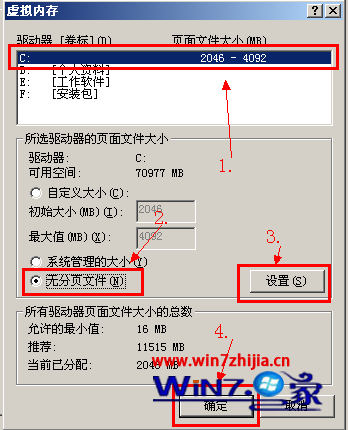
- 選取 C: → 選「無分頁檔」→「設定」。
- 選取 D: → 選「自訂大小」→ 初始大小與最大值皆設為原 C: 設定值(如 4096 MB)→「設定」→ 確定。
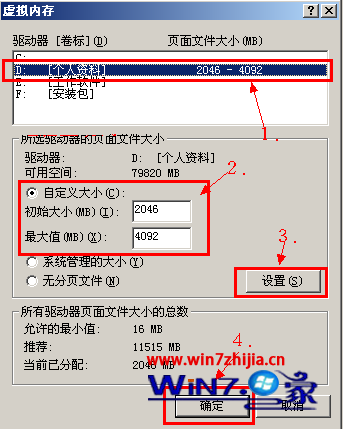
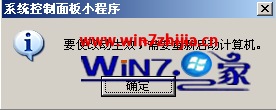
- 系統提示需重新開機生效,按確定並重開機。

重開機後 C 様 pagefile.sys 消失,D 様出現同大小分頁檔,系統效能不受影響。