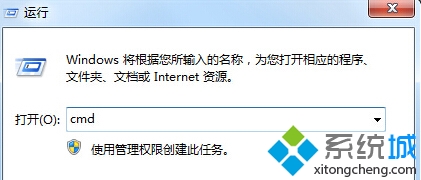
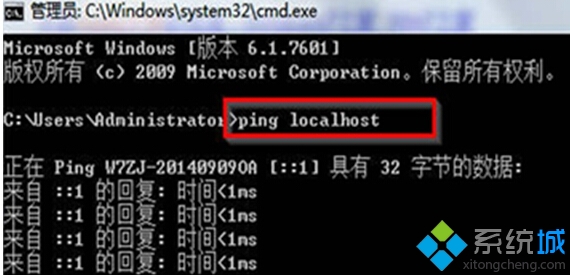
使用 ping localhost 指令檢查本機網路狀態。
ping localhost
cmd
Reply from ::1: time<1ms
此方法簡單快速驗證 TCP/IP 協定堆疊運作狀態。
Win7 玩 DNF (地下城與勇士) 卡頓/不相容?關閉應用程式相容性引擎 + 相容性疑難排解優化執行
Windows 7 Aero Shake:搖一搖標題列,其他視窗瞬間最小化再搖還原
Win7 隱藏桌面資源回收筒圖示完整教學
Win7 網路連線被停用怎麼恢復?網路和共用中心啟用區域連線教學
Win7 64位旗艦版桌面圖示消失只剩文字?兩招修復圖示快取或重設圖示大小
Win7 無線滑鼠停頓同樣是「USB 選擇性暫停」惹的禍,關閉即可解決
Win7 鎖定/登入畫面直接關機:按電源鍵一秒搞定,免輸密碼
Win7 修改 Hosts 檔案無法存檔?以管理員身分執行記事本即可解決