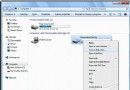
開機出現「Windows 無法啟動,檔案:\Windows\System32\Config\System 損壞或遺失」錯誤,通常因註冊表配置單元損毀。本文提供使用 Windows 7 安裝光盤進入「系統修復選項」→「命令提示字元」,備份並還原註冊表配置單元的詳細指令操作流程。
系統引導階段載入登錄配置單元失敗,可能由斷電、更新中斷、磁碟壞軌導致。
md C:\Windows\Tmp
copy C:\Windows\System32\Config\System C:\Windows\Tmp\System.bak
copy C:\Windows\System32\Config\Software C:\Windows\Tmp\Software.bak
copy C:\Windows\System32\Config\Sam C:\Windows\Tmp\Sam.bak
copy C:\Windows\System32\Config\Security C:\Windows\Tmp\Security.bak
copy C:\Windows\System32\Config\Default C:\Windows\Tmp\Default.bak

delete C:\Windows\System32\Config\System
delete C:\Windows\System32\Config\Software
delete C:\Windows\System32\Config\Sam
delete C:\Windows\System32\Config\Security
delete C:\Windows\System32\Config\Default

copy C:\Windows\Repair\System C:\Windows\System32\Config\System
copy C:\Windows\Repair\Software C:\Windows\System32\Config\Software
copy C:\Windows\Repair\Sam C:\Windows\System32\Config\Sam
copy C:\Windows\Repair\Security C:\Windows\System32\Config\Security
copy C:\Windows\Repair\Default C:\Windows\System32\Config\Default
exit 離開命令提示字元,重新啟動電腦。
注意:此操作將註冊表還原至安裝初始狀態,安裝後的驅動、軟體設定可能遺失,建議先嘗試「啟動修復」自動修復功能。