Windows XP Windows 7 Windows 2003 Windows Vista Windows 綜合教學 Linux 系統教學
Windows 10 Windows 8 Windows 2008 Windows NT Windows Server 電腦軟體教學

IE 跳出「網頁正在存取其控制範圍外的資訊」?兩招徹底關閉跨域提示

編輯:Windows 7 系統介紹

Win 7 用 IE 瀏覽網頁時頻繁彈出「該頁正在存取其控制範圍之外的資訊」,導致無法正常開頁。此為跨域存取安全提示,兩種方法可徹底關閉。
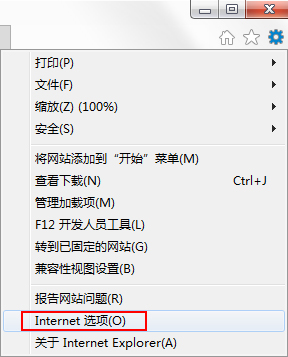
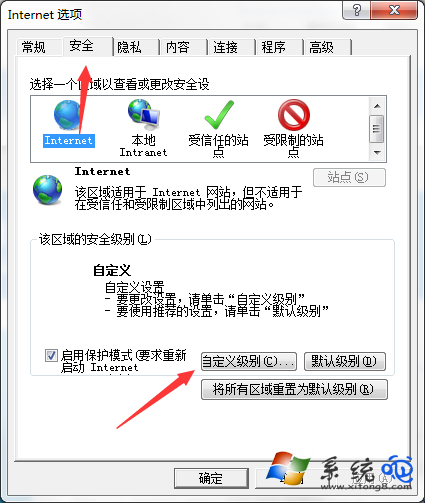
方法一:IE 內建設定 (圖形介面)

  1. IE → 「工具」 → 「網際網路選項」 → 「安全性」頁籤。
  2. 點選「自訂等級」 → 滑至「其他」區段。
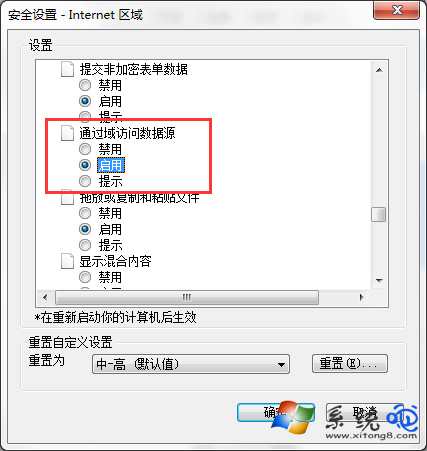
  3. 找到 「跨域存取資料來源」 → 選 「啟用」 → 確定離開。

網際網路選項 自訂等級 跨域存取啟用

方法二:登錄表修改 (適合批次部署)

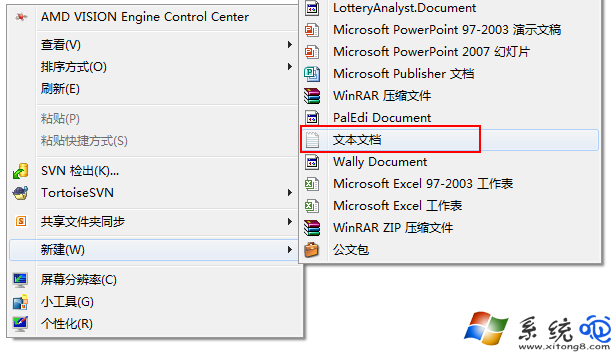
  1. 桌面新建文字檔,貼入:
Windows Registry Editor Version 5.00

[HKEY_CURRENT_USER\Software\Microsoft\Windows\CurrentVersion\Internet Settings\Zones\3]
"1406"=dword:00000000
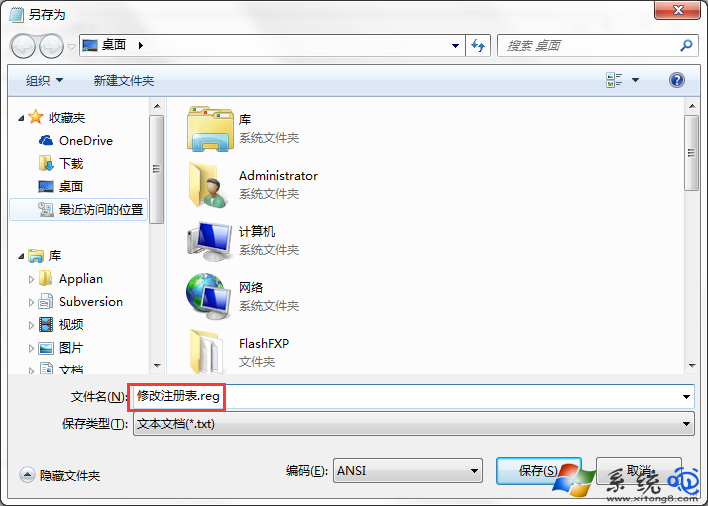
  1. 另存為 fix_cross_domain.reg → 雙擊匯入登錄表 → 確定。

新建文字檔 另存為reg檔

注意

修改登錄表有風險,不熟悉者請先備份登錄表或建立系統還原點,防止資料遺失。
Copyright © Windows教程網 All Rights Reserved