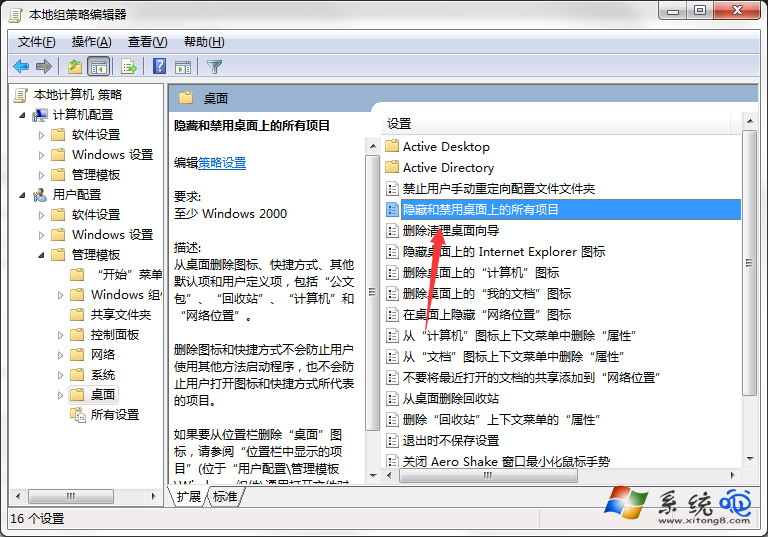
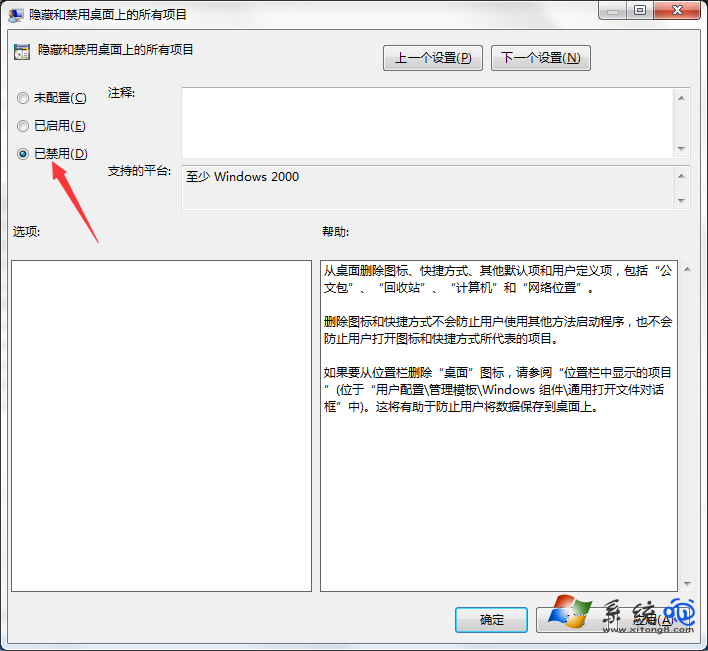
Win 7 雖穩定,但偶爾開機發現桌面圖示全消,無法正常操作。多半是組策略誤觸發「隱藏桌面所有項目」,或中毒所致。以下快速恢復法。
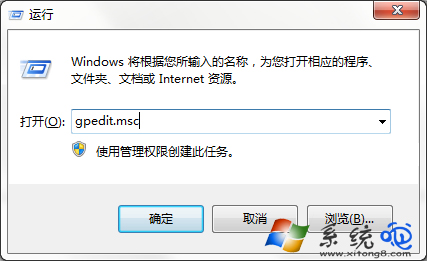
gpedit.msc
若上述無效,請全盤掃毒:病毒同樣可能隱藏桌面圖示。殺毒後通常能自動恢復。
Windows 7 硬碟安裝 Windows 8 雙系統圖文教程:壓縮分區、解壓映像、命令列啟動安裝
Win7 內建「問題步驟記錄器」PSR.exe:免安裝螢幕錄製神器
Win7 IE 任務列縮圖預覽關閉法:Internet 選項取消「在工作列顯示索引標籤預覽」
Windows 7 無法識別舊式 DVD 光碟機?兩種修復法:刪除濾器驅動或關閉完整性檢查
提升系統搜尋速度:善用第三方工具「光速搜尋」替代 Win7 內建搜尋
Win7 開機啟動項無法載入?管理員權限與安裝順序是關鍵
Windows 7 系統優化基礎設定:視覺效果、錯誤回報、系統還原、自動更新、遠端協助、Dr.Watson 完整關閉指南
重裝 Win7 後我的文件拒絕存取?取得擁有權與完整控制權限修復