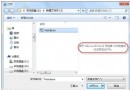
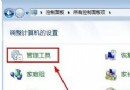
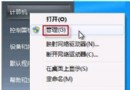
- 右鍵有問題程式**本體** (非捷徑) →「相容性疑難排解」。

- 系統自動偵測 → 選「嘗試建議設定」。

- 點「啟動程式」測試 → 若正常 → 選「是,儲存這些設定給此程式」。


- 若仍異常 → 選「否,用其他設定再試一次」→ 依提示勾選問題類型 (顏色、解析度、權限、高 DPI 等) → 下一步 → 重複測試直到解決。


優點
- 無需手動嘗試各種相容性設定組合。
- 精靈根據程式行為自動推薦最佳設定。
- 測試即時反饋,所見即所得。
Win7 內建相容性疑難排解精靈,是解決舊軟體在新系統無法運行的最快捷工具,建議優先嘗試。