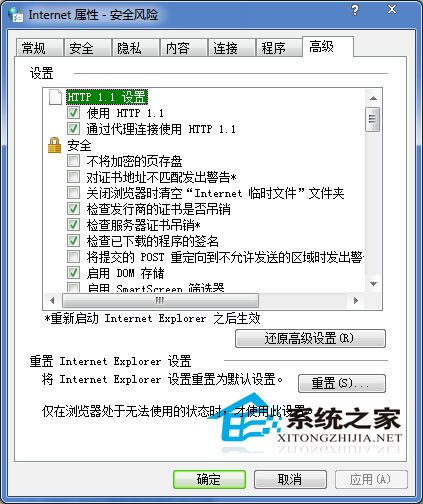
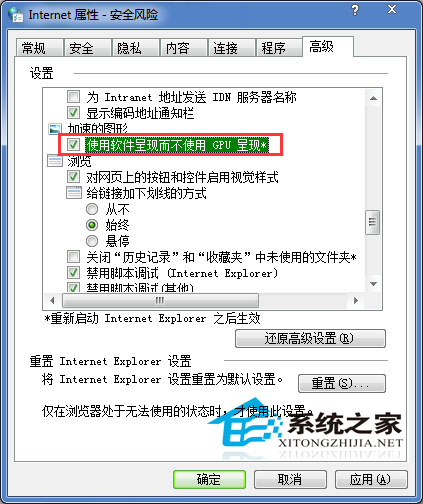
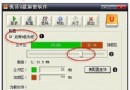
瀏覽器播放線上影片時出現黑畫面或白色方塊,且已確認 Flash Player 正常、硬體加速已關閉仍無效,可嘗試在 Internet Explorer 進階設定中強制使用軟體繪圖:
此設定將繪圖運算從顯示卡移至 CPU,雖稍增加 CPU 負載,但能解決多數顯示卡驅動相容性導致的播放異常。
Win7 指紋辨識設定圖文教學:從驅動安裝到登入驗證
Win7 十大必知優化技巧:磁碟整理、IE加載、工作列修復、Alt+Tab增強、系統還原
Windows 7 登錄表修改螢幕保護程式:氣泡變氣球、彩帶翻倍特效
微軟發布 Windows 7 中國版:開機音可選中國音樂,售價較 Vista 降逾 20%
Win7 藍屏錯誤 0x00000040:網路名稱衝突導致,刪除多餘連線、禁用未用網卡解決
Windows 7 檔案共享完整設定:Guest 帳號、進階共用、雙層權限 (共用+NTFS) 與 Everyone 關鍵角色
Win7 解除安裝程式提示「沒有管理員權限」?以管理員身分執行解除安裝程式即可解決
Windows 7 系統保護與磁碟區陰影複製:誤刪檔案、勒索軟體救星,現在就啟用