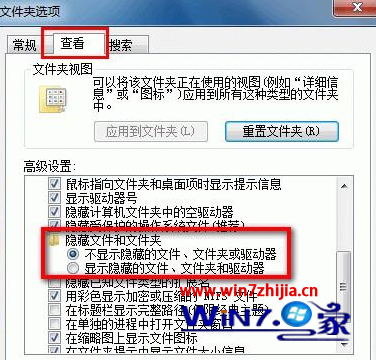
C:\Windows\System32
WinNT
Sysoc.inf
,hide,
Sysoc.inf 中的 ,hide, 標記隱藏了某些 Windows 元件,移除標記後即可在元件精靈中顯示並移除不需要的遊戲(如撲克、纸牌、扫雷等),釋放少量磁碟空間與系統資源。
Win7 為來賓帳號設定密碼保護隱私資料:透過電腦管理本地使用者設定
Windows 7 家用版「三合一」優惠導致美銷售一空 無現貨供應
Windows 部門總裁 Steven Sinofsky:開發哲學核心是「責任」,拒絕過早曝光
Windows 7 提示「Intel 快速儲存技術未執行」完整解決教學
Win7 如何還原預設字型?一鍵恢復系統原生字體教學
Win7 開啟 Office 2013 每次出現「安裝程式正在準備」?登錄表 NoRereg 鍵值修復
關閉傷害 Win7 硬碟的三大服務:重組工具、Defender、Search 詳細停用指南(重複內容整合版)
Win7 升級 Win10 完整圖文教學:虛擬光碟機掛載 ISO、保留應用與檔案的線上升級