確認電腦具備藍牙硬體且驅動程式正常運作。
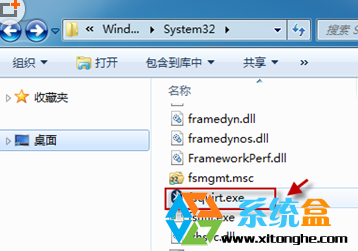
C:\Windows\System32
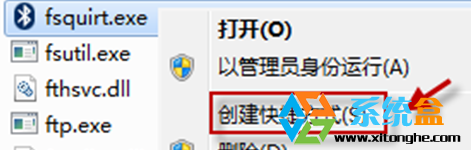
fsquirt.exe
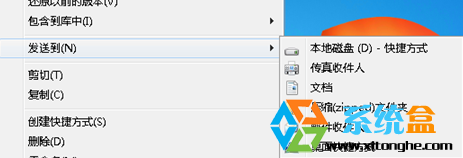
shell:sendto
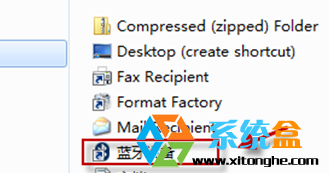
C:\Users\使用者名稱\AppData\Roaming\Microsoft\Windows\SendTo
此法利用 Windows 原生「傳送到」機制,無需第三方工具即可恢復藍牙快速傳檔功能。
Win7 待機時間設定?電源選項自訂關閉螢幕與睡眠時間
Office 2010 與 Windows 7 深度整合:Ribbon 介面全新風格搶先看
Windows 7 錯誤代碼 1079:svchost 服務啟動帳戶不一致導致,修改 Security Center 服務登入身分修復
Windows 7 實用鍵盤快速鍵大全:掌握這些讓操作效率翻倍
筆電廠商規劃 Ultrabook 採用觸控螢幕因應 Windows 8,搶回平板市場佔有率
Vista 升級 Win7 陷入無限重開機循環?Vista 光碟修復開機磁區解決
Win7 如何新增隱藏分區磁碟機代號?磁碟管理操作指南
用 USB 隨身碟安裝 Win7/XP 系統完整圖文教學:UltraISO 寫入啟動碟 + 安裝流程