網路圖示黃驚嘆號、顯示「無法存取網際網路」?內建疑難排解常能一鍵修復。
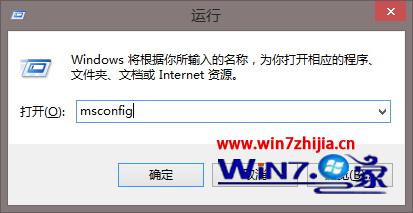
msconfig
此工具能自動重設 TCP/IP、清除 DNS 快取、重新啟動網卡驅動等常見修復動作。
Win7 資源管理器頻繁自動重啟?根因分析與四階段解決方案 (病毒、軟體衝突、規格不足、系統/硬體)
找回 Windows 7 內建小遊戲(掃雷、紙牌、蜘蛛紙牌等)的啟用教學
Windows 7 / Vista 關機與重啟快捷鍵全攻略:系統內建與自訂雙管齊下
安裝 Windows 7 需要多大硬碟空間?官方與實測建議
Windows 7 遠端管理工具發布:可管理 Server 2008 R2、2008、2003
關閉 Win7 視窗自動最大化(Aero Snap)功能教學
Win7 家長控制功能詳解:限制上網時間、遊戲、程式,讓家長安心
Windows 7 自我修復示範:無光碟 5 分鐘修復無法啟動系統