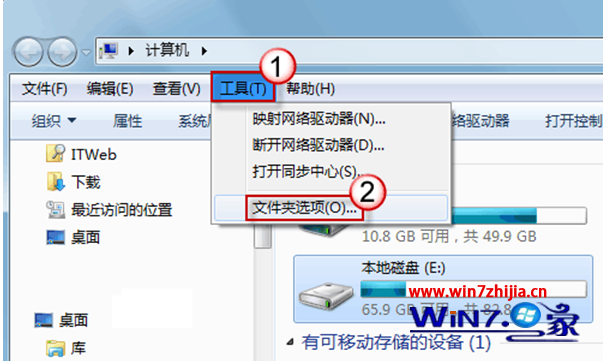
開啟大資料夾卡住、整個總管無回應?兩招改善。
explorer.exe
大量檔案無索引時,Windows 會掃描建立索引導致 CPU 飆高、回應緩慢,關閉索引可大幅改善。
Windows 7 與 Vista 安全性本質差異:UAC 改進、AppLocker、BitLocker 強化與 SDL 承襲
深度 Win7 旗艦版進入安全模式掃毒就死機?四大可能原因 (壞軌、過熱、頑固病毒、系統缺檔) 與對策
Win 7 預裝版 AppLocker 功能:企業管控軟體的利器
Win7 開機提示音訊服務未啟動?一招快速修復聲音消失問題
Win7電腦屏幕模糊不清解決:從管座受潮到高壓包故障硬件排查
Windows 7 休眠狀態下載技巧:啟用 Away Mode 讓迅雷/快車離線下載
Win7 硬碟安裝 BT4 (BackTrack 4) 完整教學:Grub4DOS + BCD 引導雙系統
Win7 CMD 命令提示字元被限制無法開啟?群組原則一鍵解除封鎖