Windows XP Windows 7 Windows 2003 Windows Vista Windows 綜合教學 Linux 系統教學
Windows 10 Windows 8 Windows 2008 Windows NT Windows Server 電腦軟體教學

Windows 7 / Vista 關機與重啟快捷鍵全攻略:系統內建與自訂雙管齊下

編輯:Windows 7 系統介紹

Windows XP 時代的「Win+U+U」關機組合鍵在 Win7/Vista 中失效,許多用戶找不到替代方案。其實系統內建了鍵盤快捷序列,且支援自訂專屬快捷鍵,兩種方法任君選擇。

一、系統內建快捷鍵序列

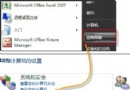
關機(Win7/Vista 通用): 按 Win 鍵鬆開 → 按 → 右鍵 → 按 Enter 回車,三步完成。

重啟(Win7/Vista 通用): 按 Win 鍵鬆開 → 按兩次 → 右鍵 → 按 ↑ 上鍵 → 按 Enter 回車。

二、自訂專屬快捷鍵(以關機為例)

  1. 桌面空白處右鍵 →「新建」→「捷徑」。
  2. 位置輸入 shutdown -s -t 0,名稱自訂(如「快速關機」)。
  3. 右鍵點擊該捷徑 →「屬性」→「快捷鍵」欄位,按下想指定的鍵(如 F11),確定。

同理,重啟命令為 shutdown -r -t 0,註銷為 shutdown -l。自訂快捷鍵不受選單層級限制,一鍵直達,極大提升操作效率。

Copyright © Windows教程網 All Rights Reserved