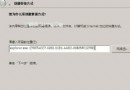
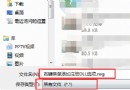
下載的 RAR 檔損壞無法解壓?WinRAR 內建「修復壓縮檔案」功能可嘗試搶救。
_reconst.rar
_reconst.zip
若修復後仍無法解壓,檔案損壞過嚴重,需重新下載。
Windows 7 開機加速與啟動錯誤修復:多核心啟動、停用自啟程式、修復 7057 版 Desktop.ini 與預設開啟儲存路徑
清除 Windows 7 通知區域失效圖示:刪除註冊表 TrayNotify 兩鍵值即時生效
Windows 7 安裝時無法建立新分區的解決辦法
Windows 7 必學 70 招實用技巧大全 (精選 23 項核心功能)
12 個 Windows 7 實用技巧與竅門
Windows 7 自動更新開啟與升級補丁包卸載完整指南
華碩筆電升級 Win7 後睡眠功能異常完美解決方案:BIOS、驅動與電源管理三管齊下
Win7 無法上網?重新啟用網路介面卡快速恢復連線