遇到「檔案正在使用中」無法刪除?寫一個批次檔利用 DEL、RD 強制清除。
DEL
RD
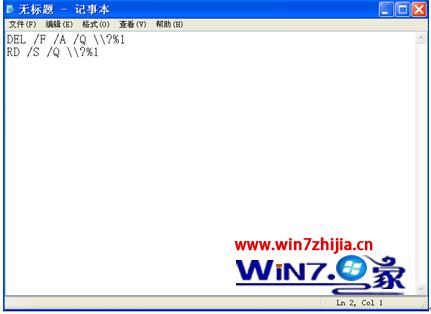
DEL /F /A /Q \\?\%1
RD /S /Q \\?\%1
ForceDelete.bat
原理:\\?\ 繞過路徑長度限制,/F 強制刪除唯讀,/A 含隱藏/系統檔,/Q 安靜模式。
\\?\
/F
/A
/Q
Win7 輸入法切換失靈?Word 與系統級解決方案全攻略
Windows 7 修改 Office 2013 登入方式設定教學
關閉 Windows 7 錯誤報告彈出視窗的登錄修改法
Win7 遊戲無法全螢幕三大解決方案:登錄檔 Scaling、NVIDIA 控制台、AMD 縮放設定
Win7 寬帶連線錯誤 720:重建連線並設定自動取得 IP 解決
Win 7解決星海爭霸等舊遊戲花屏:兼容性疑難解答一鍵修復
Win7 手動設定 DNS 與 IP 位址:網路介面卡屬性四步完成
Windows 7 上市引來黑客覬覦 大量針對性病毒現蹤