Windows 7 64 位元旗艦版每次開機提示「配置 Windows 更新失敗,正在還原變更」,主因是更新安裝失敗殘留檔案導致重複嘗試。解決步驟:
操作步驟
- 查看失敗記錄:「控制台」→「系統與安全性」→「Windows Update」→「檢視更新歷程記錄」。

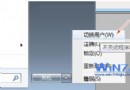
- Win+X →「電腦管理」→「服務與應用程式」→「服務」,右鍵「Windows Update」→「停止」。
- 刪除下列資料夾所有內容:
C:\Windows\SoftwareDistribution\DataStore
C:\Windows\SoftwareDistribution\Download
- 重新啟動「Windows Update」服務(或在 Windows Update 介面點「檢查更新」)。
- 檢查完成後,點選「重要更新可用」→ 全選 →「安裝」→ 重新開機。

若重開機仍提示失敗,嘗試暫時解除安裝第三方安全軟體(如 360、騰訊電腦管家)後重試。