Windows XP Windows 7 Windows 2003 Windows Vista Windows 綜合教學 Linux 系統教學
Windows 10 Windows 8 Windows 2008 Windows NT Windows Server 電腦軟體教學

Win7 如何清理登錄表垃圾?啟用 AlwaysUnloadDLL 釋放未用 DLL

編輯:Windows 7 系統介紹

Windows 7 透過登錄表優化清理未使用的動態連結庫 (DLL)

Windows 卸載程式後常殘留 DLL 在記憶體,可啟用 AlwaysUnloadDLL 讓系統自動釋放未使用的 DLL,減少記憶體佔用。

操作步驟

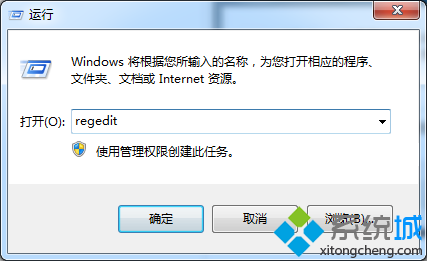
  1. 按 Win+R 輸入 regedit 開啟登錄編輯器。
開啟登錄編輯器
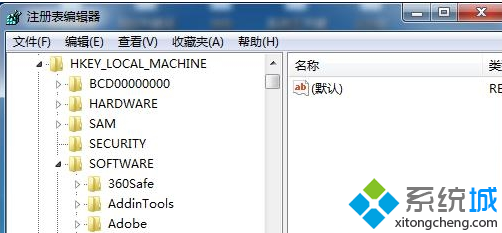
  1. 展開路徑:
    HKEY_LOCAL_MACHINE\SOFTWARE\Microsoft\Windows\CurrentVersion\Explorer
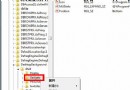
  2. 右側空白處右鍵 → 「新增」→「DWORD (32 位元) 值」,命名 AlwaysUnloadDLL。
  3. 雙擊該值,數值資料設為 1(啟用),確定。
新增 AlwaysUnloadDLL 設為 1
  1. 重新啟動電腦生效。若需停用,將值改為 0 或刪除該值。

補充說明:此設定屬於舊版 Windows 優化手段,現代系統 (Win10/11) 記憶體管理已大幅改善,效果有限。建議搭配定期使用 CCleaner、Wise Registry Cleaner 等工具清理無效登錄項目。

Copyright © Windows教程網 All Rights Reserved