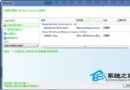
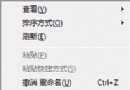
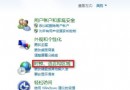
新裝裝置運作異常或頻繁死機,可嘗試移除舊版/未使用驅動。步驟:① 右鍵「電腦」→「屬性」→「進階系統設定」→「環境變數」→「使用者變數」新增 devmgr_show_nonpresent_devices=1;② 右鍵「電腦」→「管理」→「裝置管理員」→「檢視」→「顯示隱藏的裝置」;③ 在「其他裝置」找到灰色的「未知裝置」→ 右鍵「解除安裝」。清理殘留驅動可穩定系統。
Win7 AMD 顯示卡驅動程式停止回應並已恢復?更新/重裝驅動或讓 Windows 自動安裝解決
Windows 7 旗艦/企業版多語言切換:安裝語言包 (MUI) 實現介面自由切換
我安裝的 Win7 會黑屏嗎?微軟正版驗證機制與盜版風險說明
Windows 7 正版驗證失敗黑畫面?兩種情況對症下藥,免重裝恢復授權
Windows 7 批次檔大全:一鍵清理垃圾、修復圖片緩存、重啟 Explorer、關機、NTFS 轉換...
Win7 列印緩衝區卡住怎麼辦?手動清除 Print Spooler 快取完整步驟