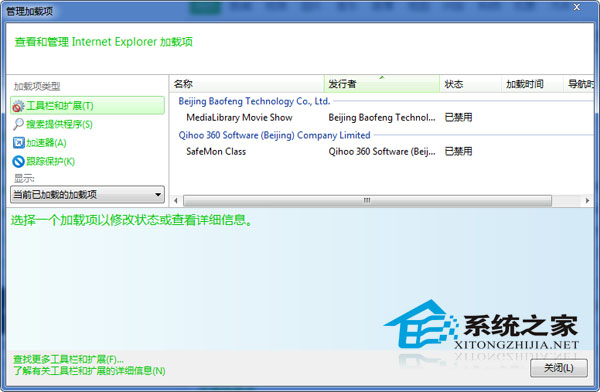
可保留常用外掛(Flash、PDF 閱讋器等),僅停用罕用或衝突項。追求極致速度則全停用。
Windows 7 待機不斷網設定教學
關閉 Windows 7 右下角「設定備份」提示的簡單方法
Win7 開機加速:減少捲動條等待時間的三種方法
Win7 解決遊戲花屏/相容性問題:內建「相容性疑難解答」一鍵套用建議設定 (管理員身分、256 色、舊版相容模式)
Win7 使用王碼五筆導致 IE 無回應?關閉 IE 保護模式 + 降低 UAC 解決衝突
Win7 開始選單搜尋:秒找檔案、程式、文字內容
Windows XP SP3 與 Windows 7 SP1 離線更新補丁包下載(2012 年 9 月版)
深度解析 Windows 7 任務欄圖標功能:從「小白」到「老牛」的進階指南