遠端桌面若無強密碼保護極易遭暴力破解。不需遠端管理時,建議徹底關閉遠端桌面服務。
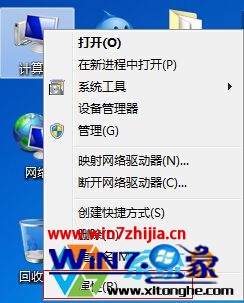
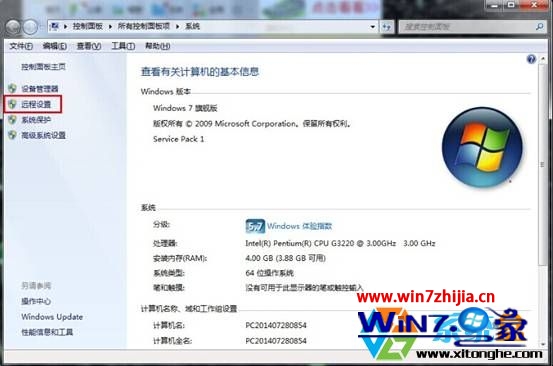
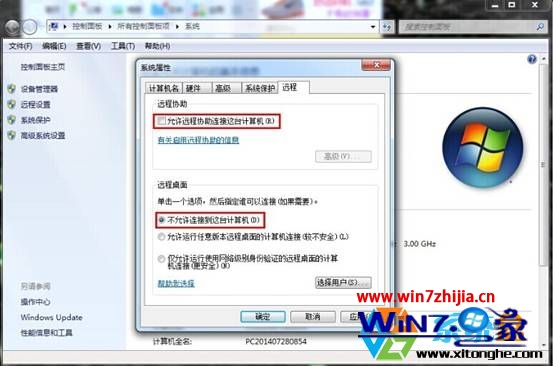
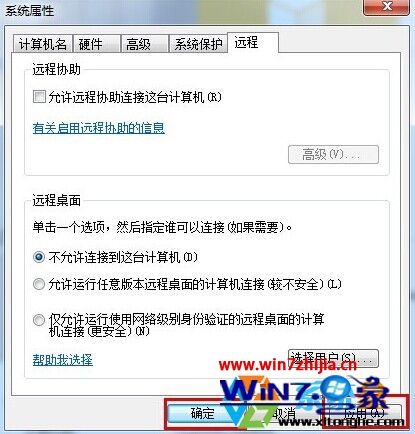
設定後所有 RDP 連線請求將被拒絕。
Win7 如何查看電腦完整配置?裝置管理員與系統資訊 (systeminfo) 指令
能否升級 Win7?請教 Windows 7 升級顧問:自動檢測硬軟體相容性
Win7 關閉視窗智慧排列 (Aero Snap):登錄檔 WindowArrangementActive 改 0
Win7 如何給 USB 隨身碟加密上鎖?使用 U 盤加密精靈建立加密區
Windows 7 快速開啟「區域連線」查看網路狀態:建立捷徑一鍵直達
Win7 區域網路搜尋不到網路印表機?啟用 LMHOSTS 查詢與 NetBIOS over TCP/IP