公司/家庭區網共用檔案需:統一工作群組、啟用網路探索與檔案共用、關閉密碼保護共用(選擇性)、設定資料夾共用權限給 Everyone。
網路共用設定
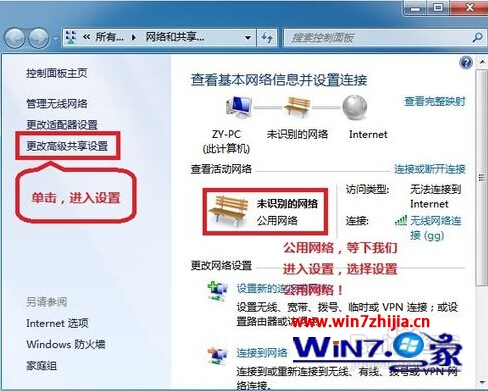
- 右鍵網路 →「屬性」→「變更進階共用設定」。
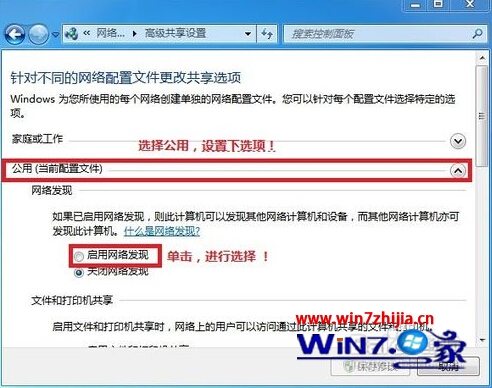
- 針對「公用」網路:啟用網路探索、啟用檔案和印表機共用、啟用共用公用資料夾、關閉密碼保護共用。
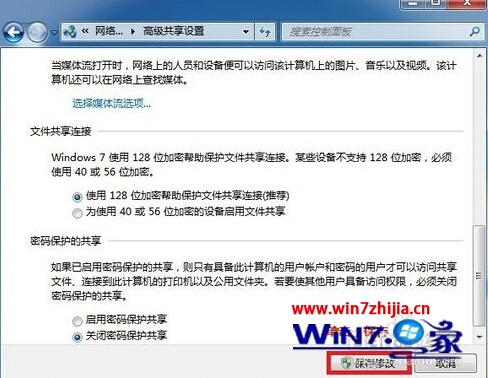
- 儲存變更。
資料夾共用權限
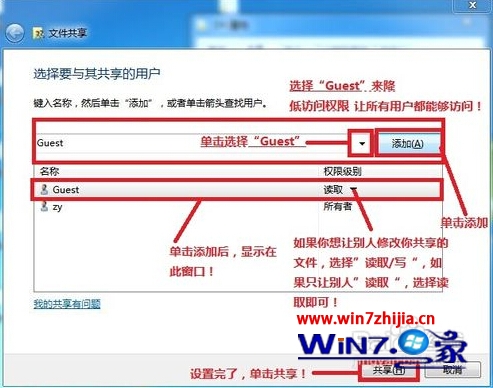
- 右鍵資料夾 →「屬性」→「共用」→「共用(S)...」→ 加入「Guest」→ 共用。
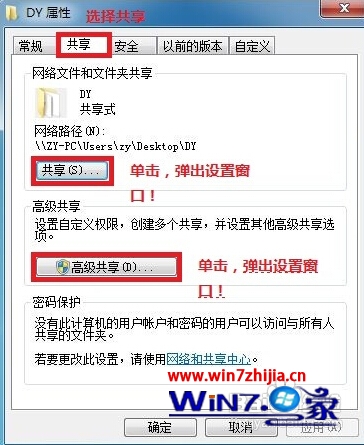
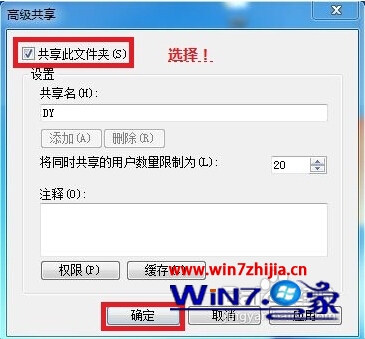
- 「進階共用...」→ 勾選「共用此資料夾」→ 確定。
存取驗證
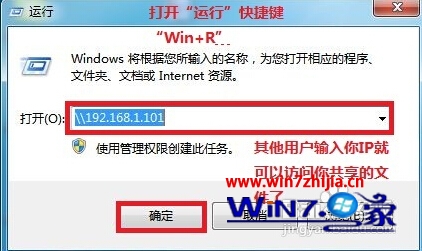
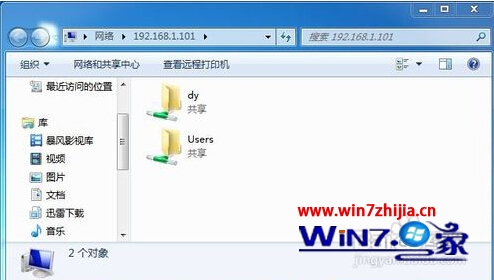
其他電腦 Win+R 輸入 \\IP位址 即可看見共用資料夾。