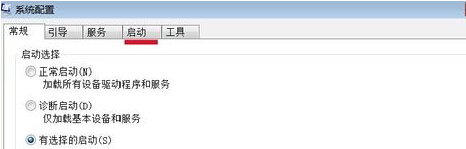
開機出現 AutoIt 錯誤視窗,通常是某第三方腳本/程式放入啟動項且路徑失效。透過系統設定工具停用可疑啟動項即可。
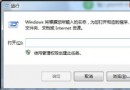
msconfig
根因分析:AutoIt 是自動化腳本語言,許多惡意軟體、垃圾程式、甚至部分合法工具 (如鍵盤巨集、遊戲外掛) 使用 AutoIt 編譯為 .exe,若其依賴的 .a3x 腳本檔遺失/移動,即彈出此錯誤。建議配合防毒軟體全盤掃描清除殘留惡意程式。
Windows 7 關閉開機啟動音效設定教學
Win7 不用右鍵選單、直接用鍵盤開啟檔案屬性視窗
Win7 桌面圖示藍底/陰影去除:效能選項關閉「在桌面上為圖示標籤使用陰影」
Windows 7 內建系統映像備份還原:比 Ghost 更強大的原生方案(完整版)
Windows 7 必裝 10 款免費好用軟體推薦,打造最強工作環境
Windows 7 桌機透過電源計畫降低 CPU 溫度與風扇噪音
啟用 Win7 旗艦版需注意事項:資源處理、網路穩定、關閉防火牆、啟用後清理優化
Windows 7 內建系統還原功能教學:建立還原點與還原系統設定