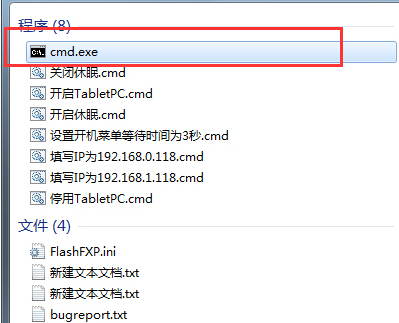
工作列右下角通知區域殘留已解除安裝程式圖示,需重置圖示快取。
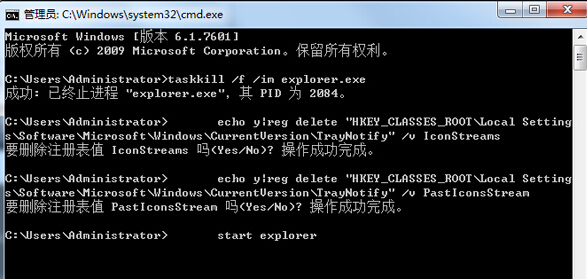
taskkill /f /im explorer.exe
echo y | reg delete "HKCU\Software\Classes\Local Settings\Software\Microsoft\Windows\CurrentVersion\TrayNotify" /v IconStreams
echo y | reg delete "HKCU\Software\Classes\Local Settings\Software\Microsoft\Windows\CurrentVersion\TrayNotify" /v PastIconsStream
start explorer
explorer.exe 釋放登錄表鎖定。IconStreams 與 PastIconsStream 兩個儲存通知區域圖示資訊的登錄值。explorer.exe,通知區域圖示重建,殘留圖示消失。操作完成後桌面會閃爍一下,通知區域恢復乾淨。