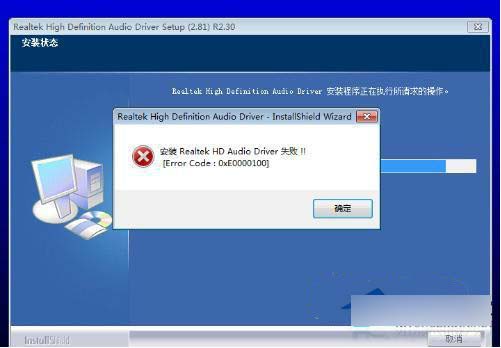
• 外接獨立聲卡/USB DAC,避免資源衝突/驅動衝突。
• 內建聲卡故障/雜音無法修復。
• 純輸出數位訊號 (SPDIF/HDMI) 給解碼器/功放。
UEFI BIOS 介面圖形化,滑鼠可操作,尋找「Audio Controller」/「Onboard Audio」設 Disabled 即可。關閉後裝置管理員不再顯示內建聲卡,釋放 IRQ/DMA 資源。
Windows 7 顯示器色彩校正嚮導:輕鬆調校 Gamma、亮度、對比與色平衡
Win7 32 位元與 64 位元該如何選擇?效能、相容性、記憶體支援全面比較
Win7 筆電螢幕閃爍抖動?五大成因與解決:重新整理率、顯卡驅動、干擾源、硬體故障、病毒
Win7 開機跳出「資源管理器已停止運作」?罪魁禍首是 WinRAR 整合設定
解決 Win7 開機「Group Policy Client 服務未能登入」錯誤:安全模式修改登錄權限
Windows 7 可用的虛擬光碟軟體推薦:UltraISO 與 Virtual CloneDrive
Win 7/Vista 右鍵選單深度客製化指南:註冊表新增加密、複製路徑、DLL註冊、重開機、擴展發送到/新建/開啟方式選單