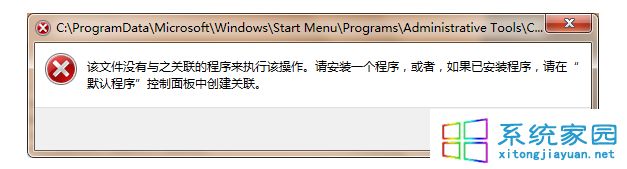
現象:執行 Flash Player 安裝程式跳「權限不足」,即使你是管理員群組
UAC 機制下,即使管理員群組,預設權杖也是標準使用者權限。安裝系統級元件需提權。
方法一:安裝程式右鍵「以管理員身分執行」(最簡單)
右鍵 install_flash_player.exe → 選「以管理員身分執行」 → 90% 情況直接解決。
方法二:啟用內建 Administrator 超級帳號(徹底解決權限問題)
- 桌面右鍵「計算機」→「管理」→ 「本機使用者和群組」→「使用者」。
- 右鍵 Administrator → 「內容」→ 取消勾選「帳戶已停用」 → 確定。
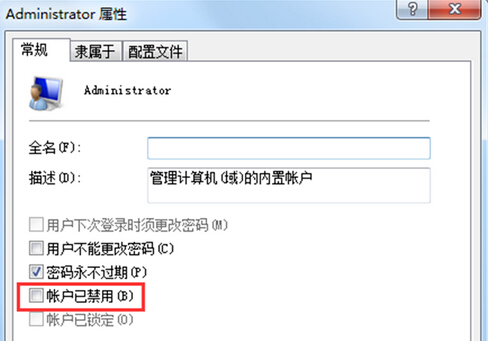
- 登出,以 Administrator 登入 → 安裝 Flash Player → 完成後建議再停用該帳號(安全性考量)。
時代註記
⚠️ **Adobe Flash Player 已於 2020/12/31 終止支援**,瀏覽器皆已移除支援。現代網頁改用 HTML5/WebGL/WebAssembly。本文僅供維護舊系統/舊專案參考,**生產環境請勿安裝 Flash**,極高資安風險。