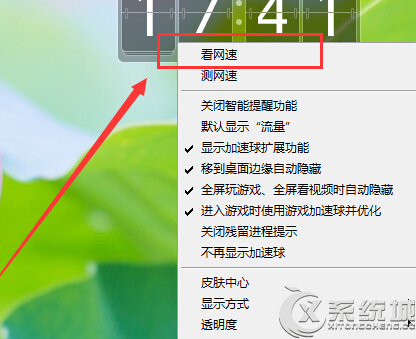
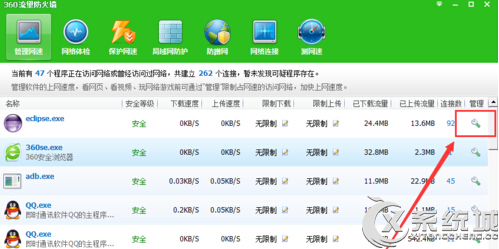
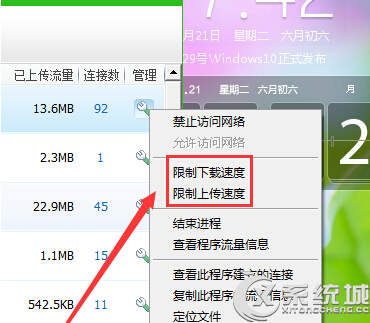
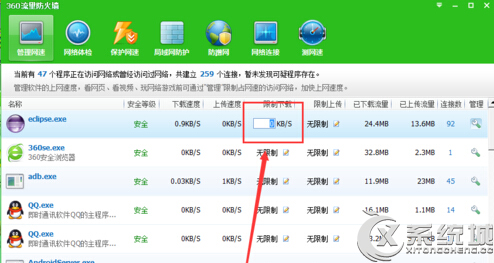
360 安全衛士「流量防火牆」可針對單一軟體限制頻寬:
適合限制 P2P 下載、雲端同步等佔用大量頻寬軟體,保障其他網路應用順暢。
Windows 7 拒絕連接無線路由器?多半是路由器韌體太舊不支援 Win7,升級韌體即可解決
遠端桌面無法全螢幕、出現捲軸?連線前調整顯示設定為最大解析度
Win7 筆電螢幕亮度調節四大法:工作列、控制台、Fn熱鍵、Win+X行動中心
審核不嚴:Vista 用戶花 86 元升級 2460 元 Win 7 旗艦版
Win7 與 XP 局域網互訪全攻略:電腦名、工作組、IP、來賓帳號、共享設定、防火牆六步到位
Win7 建立寬帶連接 (PPPoE) 完整圖解:從新增連線到桌面快捷方式
解決 Win 7 資源管理器「已停止運作」頻繁崩潰問題
Win7 移除 IE10 瀏覽器圖解教學:控制台面板「已安裝的更新」法