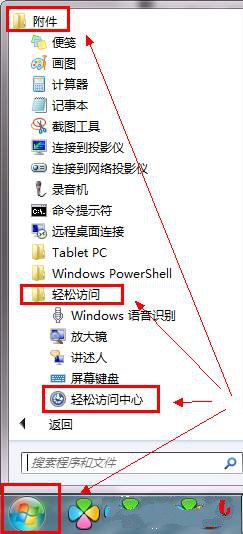
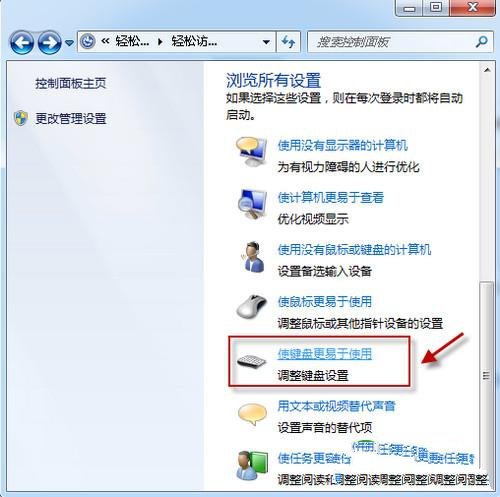
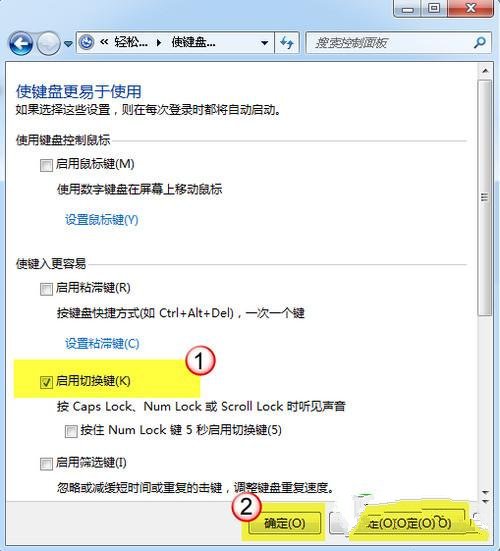
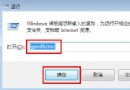
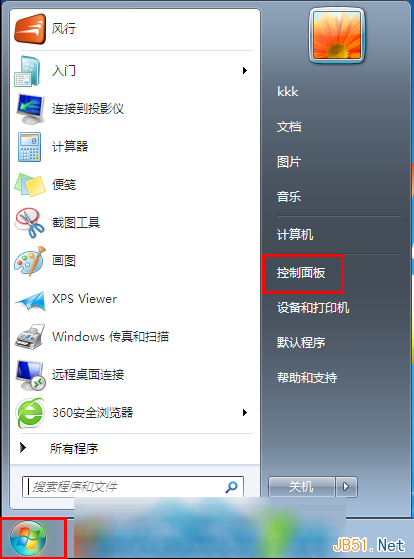
Windows 7 切換輸入法 (如中/英、大小寫) 會發出提示音,若不需要可關閉,或反向啟用:
此設定僅影響鎖定鍵切換提示音,不影響一般輸入法切換 (Ctrl+Shift/Alt+Shift) 靜音行為。
Win7 無聲音輸出?將揚聲器設為預設裝置一鍵解決
Windows 7 與 Ubuntu 9.04 雙系統快速安裝與 GRUB 設定教學
Win7 安裝超級終端機 (HyperTerminal) 完整步驟
Mac 雙系統環境下移除 Win7 分區完整教學
Windows 7 全新熱鍵完整速查表(含滑鼠手勢)
Windows 7 筆電「失眠」無法喚醒?BIOS 開啟 ACPI、更新驅動程式、調整電源管理三步驟修復
Windows 7 RC 常用軟體相容性測試報告:壓縮解壓縮四大軟體完美通過
Windows 7 磁碟碎片整理排程開啟/關閉/自訂設定方法