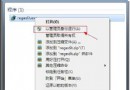
Windows 7 移除內建的超級終端機,若需使用可從舊版 Windows (如 XP) 複製相關檔案手動部署。壓縮包含英文版與簡體中文版,可自行選擇。
將以下兩檔複製至 C:\Windows\System32:
hypertrm.dllhypertrm.exe此時已可正常執行超級終端機。
hypertrm.chm、hypertrm.hlp 複製至 C:\Windows\Help。hticons.dll 複製至 C:\Windows\System32,新增連線時才會顯示電話圖示。C:\Users\<使用者>\AppData\Roaming\Microsoft\Windows\Start Menu\Programs\Accessories)。hypertrm.exe 建立捷徑放入此資料夾。完成上述步驟,超級終端機將如同內建工具般完整整合於 Windows 7 環境中。