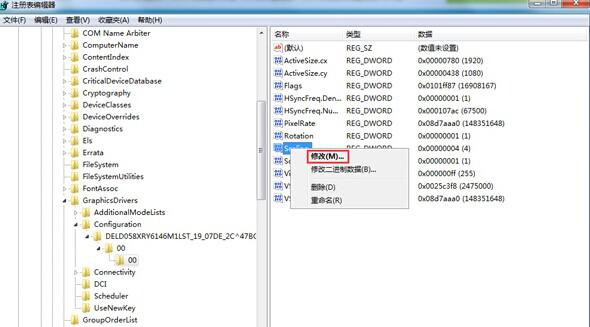
全螢幕播放影片上下出現黑條,可透過登錄調整顯示縮放模式解決。
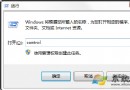
regedit
HKEY_LOCAL_MACHINE\SYSTEM\ControlSet001\Control\GraphicsDrivers\Configuration
Scaling
數值 3 代表「保持縱橫比縮放」,可消除因縮放模式不當產生的黑邊。
Windows 7 不開啟檔案直接複製文字內容:註冊表右鍵選單實作
Win7 開機顯示驅動載入清單:msconfig 啟用「OS 開機資訊」模式,一覽啟動流程
Win7 下 Arch Linux 靜態網路設定錯誤無法上網解決
Win7 登入 163 信箱出現 0xc06d007e 錯誤的修復方法
Windows 7 開始選單被工作列遮擋?解鎖工作列→拖移邊緣→還原預設三步修復
Windows 7 批次重新命名檔案教學:利用 Excel 公式產生 .bat 執行檔
Win7 移除桌面捷徑小箭頭:透明圖示替代法完美無副作用
Windows 7 更換工作列輸入法圖標完整教學