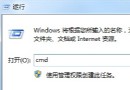
誤操作產生多餘「區域連線 2、3...甚至 12」,雖不影響上網但強迫症難忍。透過登錄檔精準刪除:
regedit
HKEY_LOCAL_MACHINE\SYSTEM\CurrentControlSet\Control\Network\{4D36E972-E325-11CE-BFC1-08002BE10318}
Connection
註冊表手術刀,乾淨利落解決命名混亂問題。
Win7 綁定 IP 與 MAC 位址防 ARP 攻擊:netsh 取代 arp 指令
Win7 睡眠、休眠、混合睡眠、離開模式全解析:四種「睡」法如何選擇才最划算
Windows 7 應用程式無法定位動態連結庫 user32.dll?複製 dwmapi.dll 至程式目錄修復
Win7 系統保留分區(100MB/200MB)能否刪除?深度解析
Win7 本機群組原則編輯器 (gpedit.msc) 在哪?如何開啟與基本認知
Windows 7 寬帶撥號連線設定教學
Windows 7 任務列預覽縮圖大小自訂技巧:透過登錄表輕鬆調整
三條 BCDEdit 指令修復 Windows 7 無法啟動 0xc000000e:無需重灌拯救引導損壞