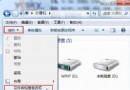
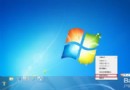
部分 Win7 版本(特別是正式版前)右鍵「電腦」→「管理」頻繁導致 Explorer.exe 崩潰。修復方法:將呼叫命令改為 XP 風格。
regedit 定位至:HKEY_LOCAL_MACHINE\Software\Classes\CLSID\{20D04FE0-3AEA-1069-A2D8-08002B30309D}\Shell\Manage\Command%Windir%\SYSTEM32\MMC.EXE /s %Windir%\SYSTEM32\COMPMGMT.MSCCompMgmt.reg 備份此命令為 XP 系統呼叫「電腦管理」的標準方式,在 Win7 依然完美運作,繞過新版不穩定的呼叫路徑。屬「老將出馬」類技巧,遇到此 Bug 者可暫時套用,等待官方修補程式。