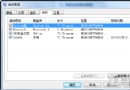
regedit
HKEY_CURRENT_USER\Software\Microsoft\Windows\CurrentVersion\Explorer\Taskband
MinThumbSizePx
此技巧讓你依個人喜好調整任務列縮圖大小,提升視覺體驗。
兩台 Win7 旗艦版電腦共用一台印表機 (文章標題與內容不符,實為無線網路連不上排查)
Win7 關閉 135/445 連接埠防範蠕蟲病毒:登錄表新增 SMBDeviceEnabled 鍵值
Win7 自訂桌面主題:桌布、聲音、圖示、螢幕保護程式一鍵打包
試用 Windows 7 後愛上它的四大理由:開關機、工作列、桌面、預設程式
Windows 7 開啟剪貼板查看器的方法:指令模式快速檢視暫存資料
Windows 7 啟用 IIS ASP/ASP.NET 功能支援經典網站開發
Win7 ADSL 撥號設定完整圖文教學:建立連線、加速撥號、開機自動撥號、VBS 隱藏視窗
Windows 7 保護電腦隱私的三大實用技巧