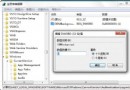
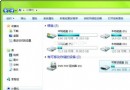
升級安裝 Windows 7 後遺留的 Windows.old 資料夾佔用數 GB~數十 GB 空間,直接刪除會導致檔案總管崩潰。正確方法:
Windows.old
rd /S /Q C:\Windows.old
rd /S /Q $Windows.old
delold.bat
Y
rd /S /Q 參數:/S 刪除目錄樹、/Q 安靜模式不逐一確認。執行前請確認無需回滾舊系統。
rd /S /Q
/S
/Q
啟用 Win7 內建 Administrator 超級管理員帳戶:圖形介面與命令列雙法教學
Win7 音量合成器:單獨控制瀏覽器/播放器音量,邊聽音樂邊瀏網不干擾
Win7 滑鼠懸停自動啟動視窗 設定輕鬆存取中心快速切換作用中視窗
Win7 一鍵統一所有資料夾檢視模式:資料夾選項「套用至所有資料夾」
Windows 7 安全模式完整操作指南:九大實用技巧
Win7 繁體中文顯示亂碼 兩大解決方案:安裝語言包與地區語言設定
Windows 7 只顯示圖示不顯示縮圖:釋放資源的資料夾選項設定
Win7 Home Basic (家庭基本版) 顯示桌面系統圖示:搜尋功能繞過介面限制