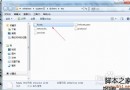
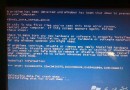
嘗試過多種字體後發現微軟雅黑(微軟巨資開發、像素銳利、筆畫柔和)最舒適?快速還原預設字體:
無需重開機、無需刪除已安裝字體檔案,系統自動重設字體對應關係。
Windows 7 TCP 半開連接數破解工具 TCP-Z 使用教學 (附 5 張截圖)
Win7 查看與修改 DNS 位址完整圖文教學(指令與介面雙管齊下)
筆記本 Win7 省電秘笈:電源計畫、螢幕亮度、USB 管理全方位延長續航
Win7 「區域連線沒有有效的 IP 設定」:設定自動取得 IP 並檢查路由器 DHCP
Win7 關閉視窗拖曳至螢幕邊緣自動佔半螢幕 (Aero Snap) 功能
微軟確認調查 Windows 7 SMB 遠端攻擊漏洞,補丁日隔天即被曝光
微軟承認 Windows 7 激活被繞過,正研發對策封堵破解
Win7 啟用內建超級管理員 Administrator:電腦管理→本機用戶和群組→啟用 Administrator、設定密碼、登入享最高權限、新手慎用