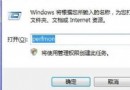
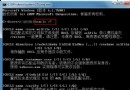
安裝 Windows 7 後預設為預設啟動項,欲改回舊版 Windows:右鍵「電腦」→「屬性」→「進階系統設定」→「進階」→「啟動與故障修復」設定→「預設作業系統」選「舊版 Windows」。顯示等待時間可從 30 秒改 5 秒。確定重開機後生效。注意:必須在 Windows 7 中修改,舊版中設定無效。
Win7 遊戲總管簡介:整合內建小遊戲與光碟安裝大作,但國內實用性有限
Win7 筆電無線網路 WLAN AutoConfig 服務無法啟動?修改登錄與重置 Winsock 完整修復
使用 U 盤輕鬆安裝 Windows 7 完整圖文教學
限制 Windows 7 僅能存取指定網頁:Hosts 檔與 DNS 導向雙重封鎖
解決 Windows 7 Beta 安裝軟體顯示亂碼:正確設定區域與語言選項
Win7 64 位旗艦版移除內建微軟拼音輸入法:控制台語言設定刪除輸入法項目
Win7 關閉使用者帳戶控制 (UAC) 提示:調整通知等級至「從不通知」
Windows 7:低下你的頭——微軟營銷變革與消費者主權時代來臨