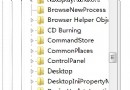
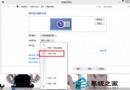
右鍵「電腦」選「管理」毫無反應,滑鼠只閃一下?檢查是否安裝了「米人」輸入法。
「資源管理員選單」功能會掛鉤右鍵選單,導致「管理」指令失效。關閉後即刻恢復正常。
Win7 輸入法切換 Ctrl+Shift 失效解決:殺毒、檢查輸入法設定、重新啟動電腦、重裝系統四級方案
Windows 7 檔案關聯修復指南:解決「開啟方式」誤設導致 .eml 檔無法開啟
Win7 TrustedInstaller.exe 佔用高 CPU?理解 Windows Modules Installer 與取得最高權限
Windows Media Center:Win7 內建打造視聽盛宴的多媒體中心(音樂、影片、圖片、電視、收音機)
Win7 開啟遠端桌面允許遠端連線:系統屬性→遠端設定→允許任意版本/僅網路層級驗證