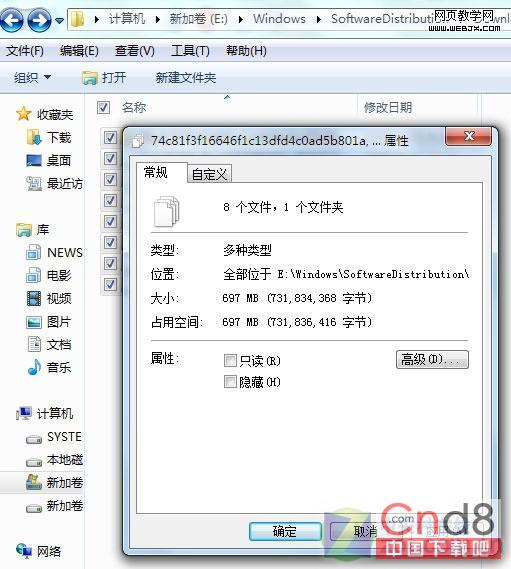
Win 7 使用一段時間後 C 盤莫名縮水,主因是 C:\Windows\SoftwareDistribution\Download 累積大量更新安裝檔(少則 MB、多則 GB)。
C:\Windows\SoftwareDistribution\Download
services.msc
SoftwareDistribution\Download
建議:每季清理一次,或將 SoftwareDistribution 透過連結(mklink /J)移至非系統盤,徹底解決 C 盤壓力。
SoftwareDistribution
mklink /J
Win7 IE瀏覽器突然無法開啟網頁?完整排查與修復指南
Win7 筆電顯示卡驅動程式停止回應並已恢復:三大成因與對策
Win7 備份與還原完整大師課:媒體櫃集中管理、系統映像裸機恢復、修復光碟必備
Win7搜狗輸入法設置大全:外觀、詞庫、皮膚、同步、修復一網打盡
防止流氓軟體竄改 IE 首頁:用群組原則永久鎖定
Windows 休眠喚醒後自動撥號上網設定教學
IT 管理員必收:Windows 7 17 個進階應用技巧(任務列、畫圖、問題步驟記錄器等)
Windows 7 RTM 曝重大漏洞 chkdsk /r 導致記憶體耗盡崩潰