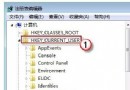
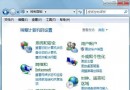
忘記 Wi-Fi 密碼需重裝或告知同事?XP 無內建查看功能常需第三方工具。Win7 極簡單:
未加密的無線網路無需此法,但安全防護仍需做好。
不常用≠沒用:Win7 易被忽略的四大實用隱藏功能
重灌 Win7 的安裝介質是什麼?硬碟/行動硬碟/光碟/USB 四大載體說明
忘記 Win10 本地帳號密碼?用安裝媒體替換 Utilman.exe 重置密碼(附還原步驟)
Windows 7 RC 版完整安裝圖文實錄:從開機光碟到桌面初體驗
手動優化 Win7 系統服務:針對非域環境、無家庭組、非索引需求的精簡方案,低配電腦流暢度大增
Win7 總管預設開啟「電腦」而非「程式庫」:修改釘選捷徑目標參數
Win7 任務列加掛附加時鐘:輕鬆掌握國外親友時區時間
輕鬆恢復 Windows 7/Vista「傳送至」選單預設項目