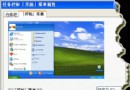
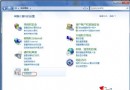
Win7 總管預設開啟「程式庫」,習慣 XP 「我的電腦」的使用者可修改工作列釘選捷徑:
%windir%\explorer.exe
%SystemRoot%\explorer.exe /e,::{20D04FE0-3AEA-1069-A2D8-08002B30309D}
CLSID {20D04FE0-3AEA-1069-A2D8-08002B30309D} 代表「我的電腦」命名空間,/e 參數啟用總管列模式。
{20D04FE0-3AEA-1069-A2D8-08002B30309D}
/e
Win7 開機慢怎麼辦?三大加速方案:精簡啟動項、磁碟整理、第三方優化
深入探索 Windows 7 內建防火牆:多重原則與行動裝置支援
Win7 語音辨識控制電腦:設定麥克風、文件審閱提升準確度、語音喚醒/睡眠指令
Win7 系統誤刪啟動分區怎麼辦?安裝碟進入 DiskPart 重建分區修復引導
Win10創建熱點提示"無法啟動承載網絡"解決:啟用Microsoft虛擬適配器恢復熱點功能
Win7 如何關閉 UAC 使用者帳戶控制彈跳視窗
Win7 旗艦版安裝軟體報錯 1327「無效磁碟機 G:」 (重複文章,內容同 78828)
Win7 桌面圖示上盾牌標誌的去除方法