現象:Win 7 用戶端按 Ctrl+Alt+Del 修改網域密碼失敗,提示 unable to update the password, the value provided for the new password contains values that are not allowed in password。同密碼在 XP 與 OWA 正常,多台 Win 7 同樣發生。
用戶端本地密碼原則未與網域控制器 (DC) 同步,導致密碼複雜度驗證邏輯不一致。
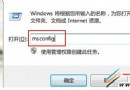
gpupdate /force重開機後再次嘗試 Ctrl+Alt+Del 修改密碼,應可成功。
gpresult /h report.html 查看)。Win7 磁碟管理調整分區步驟詳解(另一版本):建立新分區→調整大小→進入管理介面→壓縮現有分區,附擴充分區建立限制說明
Windows7.cn 一鍵直達 Windows 7 中文官網:微軟重金註冊的專屬域名
Windows 7 五大常見故障與解決方案:DVD 音訊、Movie Maker、XP Mode、網路列印、藍畫面 (補充)
Win7右鍵選單新增「取得TrustedInstaller權限」選項完整教學
Win7 與 XP 局域網互訪全攻略:電腦名、工作組、IP、來賓帳號、共享設定、防火牆六步到位
Win7 如何取消自動鎖定/睡眠?電源選項設定「從不」保持螢幕常亮