Windows Update 執行線上更新時出現錯誤代碼 8024402f,通常源於網路連線擁塞、安全軟體攔截、或系統加密服務檔案損毀。以下提供分級排除步驟。
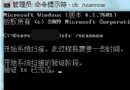
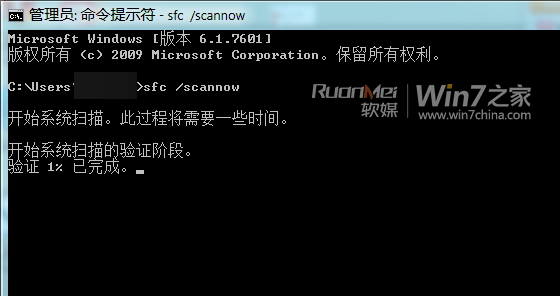
Cryptographic Services 或相關系統檔案遺失/損毀。SFC /SCANNOW(注意空格),等待掃描修復完成。REGSVR32 C:\Windows\System32\CRYPTDLG.DLLREGSVR32 C:\Windows\System32\DSSENH.DLLREGSVR32 C:\Windows\System32\GPKCSP.DLLREGSVR32 C:\Windows\System32\INITPKI.DLLREGSVR32 C:\Windows\System32\MSSIP32.DLLREGSVR32 C:\Windows\System32\RSAENH.DLLREGSVR32 C:\Windows\System32\SCCBASE.DLLREGSVR32 C:\Windows\System32\SLBCSP.DLLREGSVR32 C:\Windows\System32\SOFTPUB.DLLREGSVR32 C:\Windows\System32\WINTRUST.DLLRegsvr32 /s C:\Windows\System32\CRYPTDLG.DLL Regsvr32 /s C:\Windows\System32\DSSENH.DLL Regsvr32 /s C:\Windows\System32\GPKCSP.DLL Regsvr32 /s C:\Windows\System32\INITPKI.DLL Regsvr32 /s C:\Windows\System32\MSSIP32.DLL Regsvr32 /s C:\Windows\System32\RSAENH.DLL Regsvr32 /s C:\Windows\System32\SCCBASE.DLL Regsvr32 /s C:\Windows\System32\SLBCSP.DLL Regsvr32 /s C:\Windows\System32\SOFTPUB.DLL Regsvr32 /s C:\Windows\System32\WINTRUST.DLL
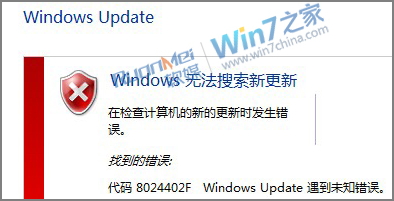
完成上述步驟後,8024402f 錯誤多數可解決;若持續出現,建議檢查網路環境或嘗試離線更新套件。