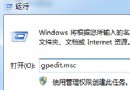
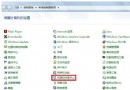
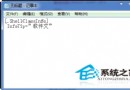
拖曳視窗至螢幕左/右邊緣 → 自動佔半螢幕;拖至上邊緣 → 自動最大化。此 Aero Snap 功能雖方便,但常干擾精細排版。
設定後,視窗拖曳至邊緣不再自動吸附縮放,恢復傳統自由移動行為。
若仍想保留鍵盤快捷鍵(Win+←/→/↑/↓),此設定不影響,僅停用滑鼠拖曳觸發。
Win7 升級 Win10 新管道:Windows Update 直接推送技術預覽版,需先加入 Insider 計畫
Win7 系統下 EPSON 印表機列印頭清洗操作指南
Win7 Firefox 瀏覽器設定/更改首頁:選項→常規→啟動時顯示我的首頁
企業部署 Windows 7 版本選擇指南:首推企業版,七大專屬功能解析
Win7 查看 QQ 好友 IP 位址:資源監視器監聽 QQ.exe TCP 連線即時顯示
Win7 關閉煩人的 Action Center 通知與自動更新提醒 還給你乾淨桌面
Win7「區域連線」消失?驅動重裝與網路服務註冊雙重修復
Windows 7 關閉 UAC 後側邊欄無法使用?註冊表修改 AllowElevatedProcess 恢復