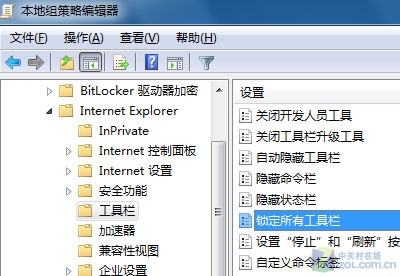
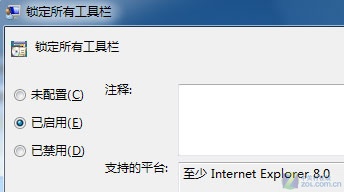
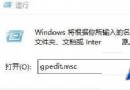
IE8 工具列易被誤操作亂序,群組原則可強制鎖定:
需解鎖時改回「未設定」。建議先自訂好工具列再套用鎖定。
解決 Windows 7 下 WinAPN VPN 撥號連線成功但無網際網路存取:重設 TCP/IP 與 DNS 快取
Windows 7 如何查看 IP 位址?三種快速查詢法
Windows 7 旗艦版 USB 隨身碟無法自動播放解決辦法
Win7 登錄編輯器無法開啟?群組原則解鎖與病毒排查雙管齊下
Win7 顯示隱藏檔案/資料夾:資料夾選項勾選「顯示隱藏的檔案、資料夾及磁碟機」
Win7 寬頻撥號自動化:建立捷徑放入啟動資料夾,開機即聯網零手動操作
Win7 體驗指數「無法評定視訊播放效能」修復:還原三個系統檔案副檔名
Windows 7 滑鼠右鍵「新增」無「捷徑」選項?註冊表 ShellNew\Command 殘值修復法