Windows XP Windows 7 Windows 2003 Windows Vista Windows 綜合教學 Linux 系統教學
Windows 10 Windows 8 Windows 2008 Windows NT Windows Server 電腦軟體教學

Win7 IE主頁被惡意篡改無法修改解決:組策略鎖定與註冊表強制指定首頁

編輯:Windows 7 系統介紹

Win7 IE主頁被流氓軟件/惡意代碼篡改且無法手動修改,需通過組策略「禁用更改主頁設置」鎖定首頁,或直接修改註冊表強制指定主頁地址,雙重方案確保生效。

方法一:組策略鎖定主頁(專業版/企業版/旗艦版有效)

  1. Win+R → gpedit.msc 打開組策略編輯器
  2. 依次展開:用戶配置 → 管理模板 → Windows 組件 → Internet Explorer
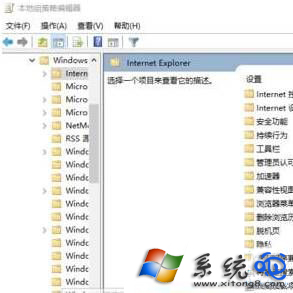
  3. 右側雙擊「禁用更改主頁設置」 → 選「已啟用」 → 下方輸入想鎖定的主頁URL(如https://www.baidu.com) → 「應用」「確定」
  4. Win+R → gpupdate /force 強制刷新策略生效

方法二:註冊表強制指定主頁(全版本通用)

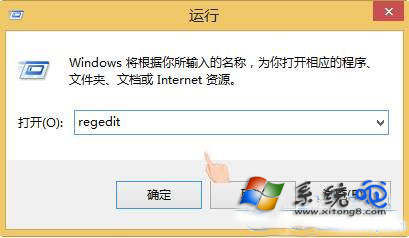
  1. Win+R → regedit
  2. 展開:HKEY_CLASSES_ROOT\CLSID\{871C5380-42A0-1069-A2EA-08002B30301D}\shell\OpenHomePage\Command
  3. 修改右側「默認」值:"%ProgramFiles%\Internet Explorer\iexplore.exe" https://your-homepage.com(路徑後空格加URL)
  4. 展開/創建:HKEY_CURRENT_USER\Software\Policies\Microsoft\Internet Explorer\Main
  5. 新建/修改字符串值Start Page = 目標主頁URL

清理殘留劫持

  • 檢查IE快捷方式「目標」欄是否被追加URL參數,恢復為單純"C:\Program Files\Internet Explorer\iexplore.exe"

  • 殺毒全盤掃描清除瀏覽器劫持木馬
  • 重置IE設置:Internet選項 → 高級 → 重置 → 勾選「刪除個人設置」 → 重置
Copyright © Windows教程網 All Rights Reserved