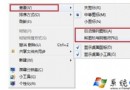
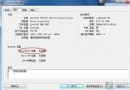
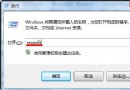
每個分區根目錄下的 System Volume Information 為隱藏系統資料夾,儲存系統還原點與索引資料,非病毒。若確定要刪除(如中毒後清理),需先關閉系統還原再取得權限:
System Volume Information
gpedit.msc
cacls "C:\System Volume Information" /g everyone:f
一般使用者無需刪除,系統還原是重要保護機制。
Windows 7 桌面建立無小箭頭 IE8 捷徑,純淨桌面一鍵達陣
Win7 無法建立遠端連線管理服務?啟動 Remote Access Connection Manager 等三項核心服務
Windows 7 與 Mac OS X 印表機跨平台共用設定
Win7 磁碟管理工具建立/刪除分區完整圖解:系統內建免安裝第三方軟體
Windows 7 麥克風無聲/音量太小?完整設定與疑難排解
Win7 安裝時無法格式化/識別分區?點擊「磁碟機選項(進階)」新建分區
Win7 CMD 命令提示字元被停用?群組原則一鍵恢復
PXE 網路開機安裝 Win7 原理與實作:深度遠端開機管理器 + 小小強 PE 工具箱 + ImageX 鏡像部署