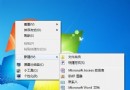
Windows 7 桌面預設無 IE8 捷徑,自行建立的捷徑會帶有小箭頭,強迫症看了不舒服。透過匯入以下登錄檔,可直接在桌面建立「無箭頭」的 IE8 系統捷徑,並支援「無增益集模式」、「開啟首頁」、「內容屬性」等右鍵選單功能。
IE8_NoArrow.reg(請將路徑中的 C: 依實際系統盤修改)。Windows Registry Editor Version 5.00
[HKEY_LOCAL_MACHINE\SOFTWARE\Microsoft\Windows\CurrentVersion\Explorer\Desktop\NameSpace\{871C5380-42A0-1069-A2EA-08002B30309D}]
@="Internet Explorer"
[HKEY_CLASSES_ROOT\CLSID\{871C5380-42A0-1069-A2EA-08002B30309D}]
@="Internet Explorer"
[HKEY_CLASSES_ROOT\CLSID\{871C5380-42A0-1069-A2EA-08002B30309D}\DefaultIcon]
@="C:\\Windows\\System32\\ieframe.dll,-190"
[HKEY_CLASSES_ROOT\CLSID\{871C5380-42A0-1069-A2EA-08002B30309D}\shell]
@=""
[HKEY_CLASSES_ROOT\CLSID\{871C5380-42A0-1069-A2EA-08002B30309D}\shell\NoAddOns]
@="無增益集(&N)"
[HKEY_CLASSES_ROOT\CLSID\{871C5380-42A0-1069-A2EA-08002B30309D}\shell\NoAddOns\Command]
@="\"C:\\Program Files\\Internet Explorer\\iexplore.exe\" -extoff"
[HKEY_CLASSES_ROOT\CLSID\{871C5380-42A0-1069-A2EA-08002B30309D}\shell\Open]
@="開啟首頁(&H)"
[HKEY_CLASSES_ROOT\CLSID\{871C5380-42A0-1069-A2EA-08002B30309D}\shell\Open\Command]
@="\"C:\\Program Files\\Internet Explorer\\iexplore.exe\""
[HKEY_CLASSES_ROOT\CLSID\{871C5380-42A0-1069-A2EA-08002B30309D}\shell\Set]
@="內容(&R)"
[HKEY_CLASSES_ROOT\CLSID\{871C5380-42A0-1069-A2EA-08002B30309D}\shell\Set\Command]
@="\"C:\\Windows\\System32\\rundll32.exe\" C:\\Windows\\System32\\shell32.dll,Control_RunDLL C:\\Windows\\System32\\inetcpl.cpl"
匯入後,桌面將出現無小箭頭的 IE8 圖示,右鍵可快速選擇無增益集啟動、開啟首頁或網際網路選項,完美替代原生捷徑。