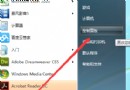
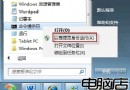
安裝軟體後圖示變空白、捷徑無圖示,通常是圖示快取資料庫損毀,命令提示字元三行指令修復:
taskkill /im explorer.exe /f
cd /d %userprofile%\AppData\Local
del iconcache.db /a
start explorer.exe
exit
taskkill 結束總管進程釋放檔案鎖定。cd 進入使用者本地快取目錄。del iconcache.db 刪除損毀的圖示快取資料庫。start explorer.exe 重啟總管,系統自動重建乾淨的 iconcache.db。Win7 64 位元旗艦版實測有效,約 1-2 分鐘完成,圖示全數恢復正常。
Windows XP/7 移除捷徑小箭頭:正確註冊表法與透明圖示法,避免副作用
Windows 7 HDMI 連接液晶電視完整教學:硬體需求、連接順序、聲音切換、集顯限制
Windows 7 Aero 特效無法顯示完整排查與修復指南
Win7為Photoshop安裝字體教程:系統級字體安裝PS自動識別
Win7 本機群組原則 (gpedit.msc) 打不開?註冊表修復 Restrict_Run 限制恢復存取
Win7 手動關閉開機啟動項:msconfig 精準控制,拒絕第三方優化軟體誤傷
Windows 7 安裝自動建立 200MB 隱藏分區風險與避免方法
Windows 7 徹底移除印表機驅動程式三步驟:印表機伺服器屬性刪除、停用 Print Spooler 清理列印隊列、光碟解安裝程式