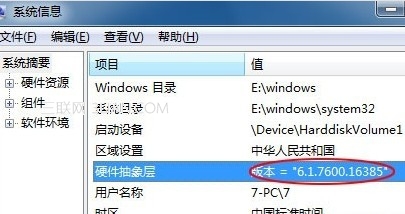
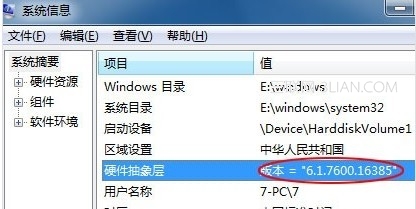
「計算機 → 屬性」只能看到基礎版本與啟用狀態,想知道具體建構版本、硬體抽象層(HAL)版本等詳細資訊,必須用系統資訊工具 msinfo32。
msinfo32
拿到版本號後上網一查,即可知曉該系統發布時間、更新包含哪些補丁。此外,「系統資訊」還整合了硬體資源、元件、軟體環境等完整清單,堪稱診斷電腦狀態的「全景圖」。
Win7 命令提示字元 (CMD) 打不開?修改登錄檔或群組原則恢復
Win7 開始選單關機選項不見了?群組原則一鍵恢復
Win7 打造個人化桌面背景:內建圖片、自訂圖片、幻燈片輪播全攻略
變更 Windows 7 歡迎畫面與系統帳號介面顯示語言
辨識 Ghost XP 與原版 Windows XP:安裝時間、驅動整合、純淨度三大差異
Win7 旗艦版開啟裝置管理器顯示空白?服務管理啟用「Plug and Play」服務修復
Win7 Word 程式未回應怎麼辦?三大狀況對應釋放記憶體/縮短檔名/修復 Office
Win7 列印字體模糊怎麼辦?DPI 調整與 ClearType 微調雙管齊下