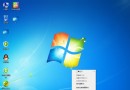
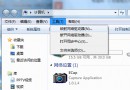
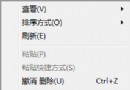
安裝語言包後,預設僅變更桌面介面語言。若要連同歡迎畫面、系統帳號介面一同變更(以英文為例):
此操作將目前使用者的語言偏好複製至系統保留的預設使用者設定檔,影響登入畫面與新建帳號預設語言。
Win7 32位純淨版無法開啟支付寶頁面?三大常見原因與解決方案
Windows 7 讓 IT 管理更美好的 12 大特色功能
Win7 旗艦版 Windows Update 錯誤修復:停用服務、刪除 SoftwareDistribution 快取、重啟服務三步驟
Win7 如何關閉工作列/開始選單跳躍清單?隱私保護教學
Win7 啟用「上帝模式」:一鍵存取所有控制台設定
誰動了我的電腦?Windows 7 記錄詳細登入時間讓偷窺無所遁形
Win7 開機啟動項設定 系統工具 msconfig 與 360 安全衛士 雙法教學
Win7 被惡意軟體入侵後會出現什麼情況?