Windows XP Windows 7 Windows 2003 Windows Vista Windows 綜合教學 Linux 系統教學
Windows 10 Windows 8 Windows 2008 Windows NT Windows Server 電腦軟體教學

Windows 7 使用 Vista Windows Calendar 日曆元件:支援農曆/節日訂閱

編輯:Windows 7 系統介紹

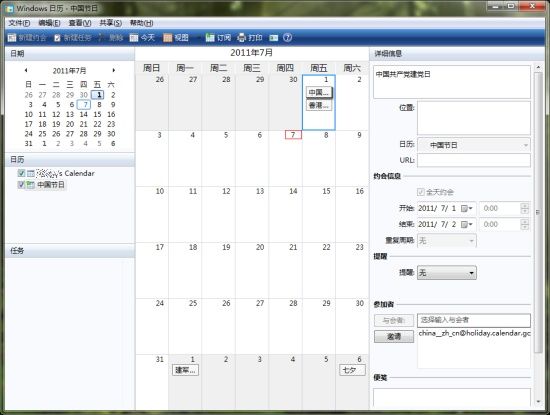
Windows 7 移除內建日曆,但可移植 Vista 的 Windows Calendar 完美運行 (支援 32/64 位元)。

安裝與啟動

  1. 下載網友分離打包的 Windows Calendar 壓縮檔。
  2. 解壓至 C:\Program Files\Windows Calendar (64 位元系統為 Program Files)。
  3. 右鍵 WinCal.exe → 「釘選到工作列」或「附加到開始選單」。

語言切換

  • 預設繁體中文 (zh-TW 資料夾);需英文介面時刪除/重命名 zh-TW 資料夾後重啟程式。

訂閱農曆與節日 (ICS 格式)

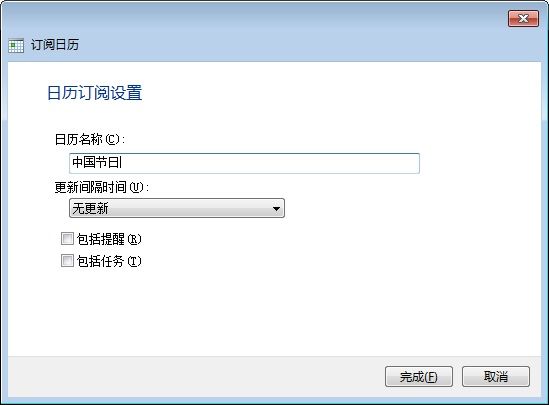
工具列 → 「訂閱」 → 貼上以下網址 → 下一步 → 命名 → 完成:

  • 蘋果中國節日:webcal://ical.mac.com/ical/China32Holidays.ics
  • Google 中國節日:https://www.google.com/calendar/ical/china__zh_cn%40holiday.calendar.google.com/public/basic.ics
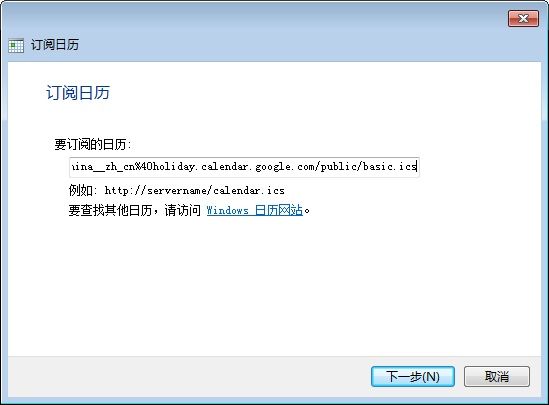
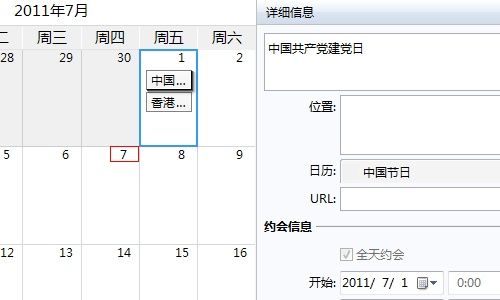
  • Google 中國農曆:https://www.google.com/calendar/ical/lunar__zh_cn%40holiday.calendar.google.com/public/basic.ics
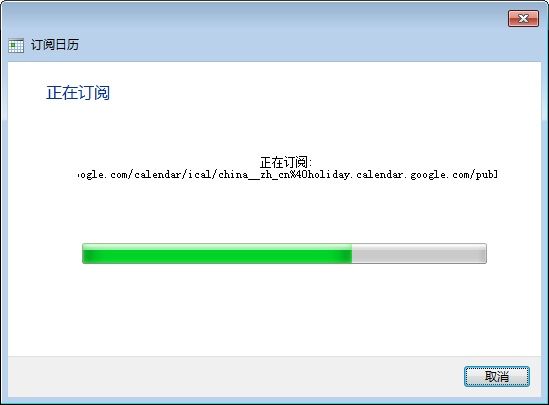
Windows Calendar 主介面 輸入日曆庫網址 下載日曆庫 命名日曆 匯入成功

輕量、無廣告、支援多行事曆疊加顯示,是 Win7 缺乏內建日曆的最佳補完方案。

Copyright © Windows教程網 All Rights Reserved